
Licensing
Annual, per seat, and never a lockout.
A Firm license is a yearly subscription on a provisioned seat cap, priced in conversation once seat count and scope are known. If it ever lapses, the application goes read-only. Nothing is deleted, encrypted or disabled.
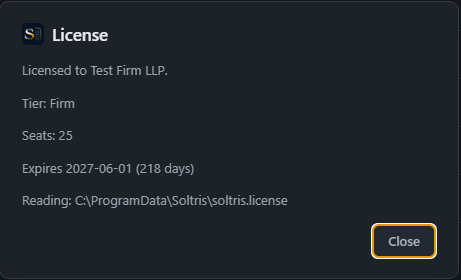
How a Firm license works.
The structure is published. The rate is quoted, because it depends on seat count and scope, and a number on a page cannot know either.
- Provisioned seats
- You license the seats you provision, not the people who happened to log in this month. Eighteen users in twenty-five seats is one invoice, for twenty-five. Minimum three seats.
- One rate across the count
- Volume bands lower the per-seat rate as the firm grows, and the whole count is priced at one rate, so the invoice is always seats times rate. Five hundred seats and above are quoted separately.
- One-year or two-year term
- One year by default, or two years at a discount. Either way the term is invoiced once, in full, at the start, which is one line on your accounts payable rather than four.
- Updates included
- Every release during the term is included. There is no maintenance add-on, no support tier, no version you are asked to pay for again.
- Adding and reducing seats
- Seats can be added at any time by issuing a new license file. Reductions take effect at renewal, given 30 days' written notice.
- Growth is reported, not policed
- Nothing in the software counts or enforces seats. If provisioning exceeds the cap, you tell us, and the additional seats are billed at your rate, prorated, never a penalty rate. Growing into a larger band earns the lower rate. Once a year you report how many people used Soltris, and we may ask for the app's user activity export, which carries no case content.
If a license lapses.
A renewal that slips through procurement should not stop a trial team. It does not.
Thirty days out
A banner on the dashboard shows the expiry date, so a renewal can be started with time to spare.
Expiry
The application goes read-only. Open, search, view, print and export continue for every matter. New annotations, designations, imports and edits pause.
Renewal
A new license file restores full function in place. No reinstall, no migration, nothing to recover, because nothing was taken away.
The trial.
Firms evaluate Soltris on their own SQL Server, with their own transcripts, under a written Order Form, with commercial terms agreed before the trial starts rather than negotiated after it ends.
- 60 days
Counted from the day the license file is issued, not from signature. Scheduling does not consume trial time.
- 100%
Of the trial fee is credited against the first year's subscription fees.
- Yours
Everything created during the trial stays in your database, readable, printable and exportable, whether or not you proceed.
Smaller than a firm?
Soltris is licensed to firms. If you are a sole practitioner, contact sales and say so; there is a fit for that too, and it is quoted the same way.
What to bring to the conversation
Seat count, whether you want a one-year or two-year term, and whether IT has an AI provider account already approved. With those three, you leave the call with a quote.